Inventory, orders and POS, all on your TallyPrime.
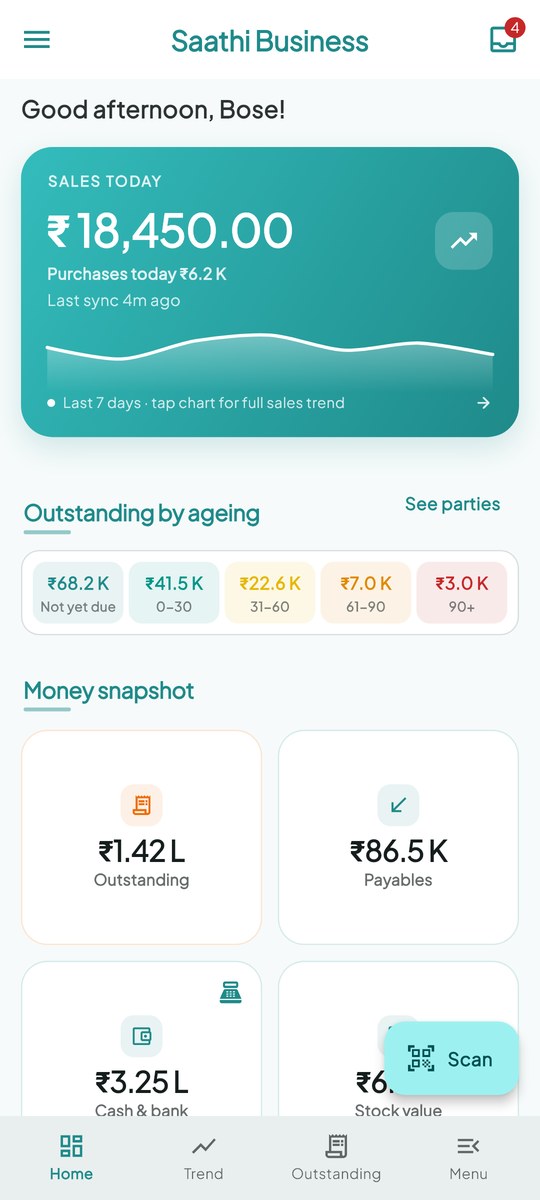
DORON TBB sits beside TallyPrime on your PC. Bring stock in by barcode or a photo of the supplier's bill, take orders on the road through to delivery, and bill at the counter with GST. The Saathi Business app puts orders, collections and your figures on your team's phones.
See it working
Short videos on a demo stationery shop, with a voice-over. Use the arrows to step through them.
Scan a supplier’s bill
Read the bill, put each GST rate on its own ledger, and match the goods that came in on a challan, so stock isn’t counted twice.
Three things your business runs on
One product, on the TallyPrime company you already have. Everything posts to Tally, so your books stay in one place.
Inventory management
- Bring stock in by barcode, or from a photo of the supplier's bill
- Goods received first? The bill is matched to them, so stock isn't counted twice
- Batches and expiry, with the batch that expires first going out first
- Barcode labels from your Tally items
- Low-stock and near-expiry alerts on the owner's phone
Order management
- Reps book orders at the customer's door, with photos and location
- Orders reach Tally only when they're approved
- Bill an order in full or in parts; the balance stays open
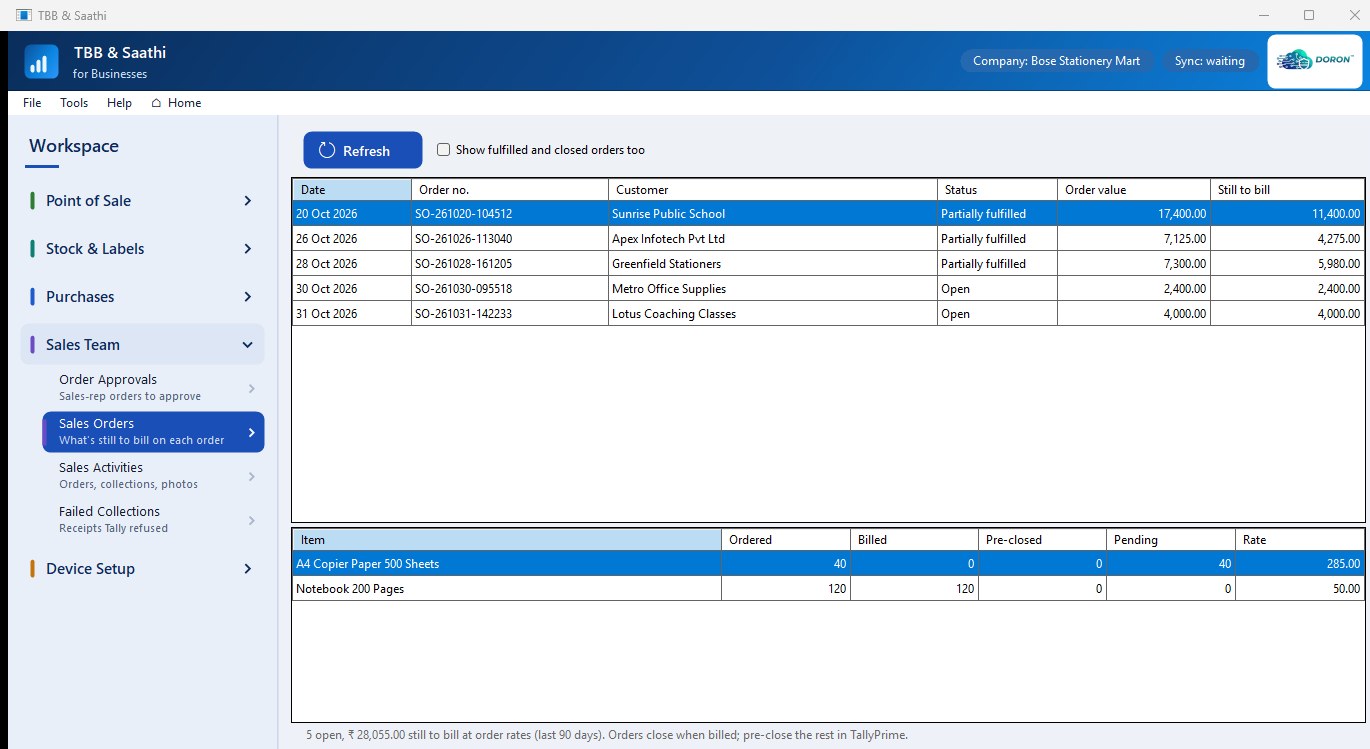
- Open, Partially fulfilled, Fulfilled: every order's status, always up to date
- The owner sees what's still to deliver; reps see where their orders stand
POS billing
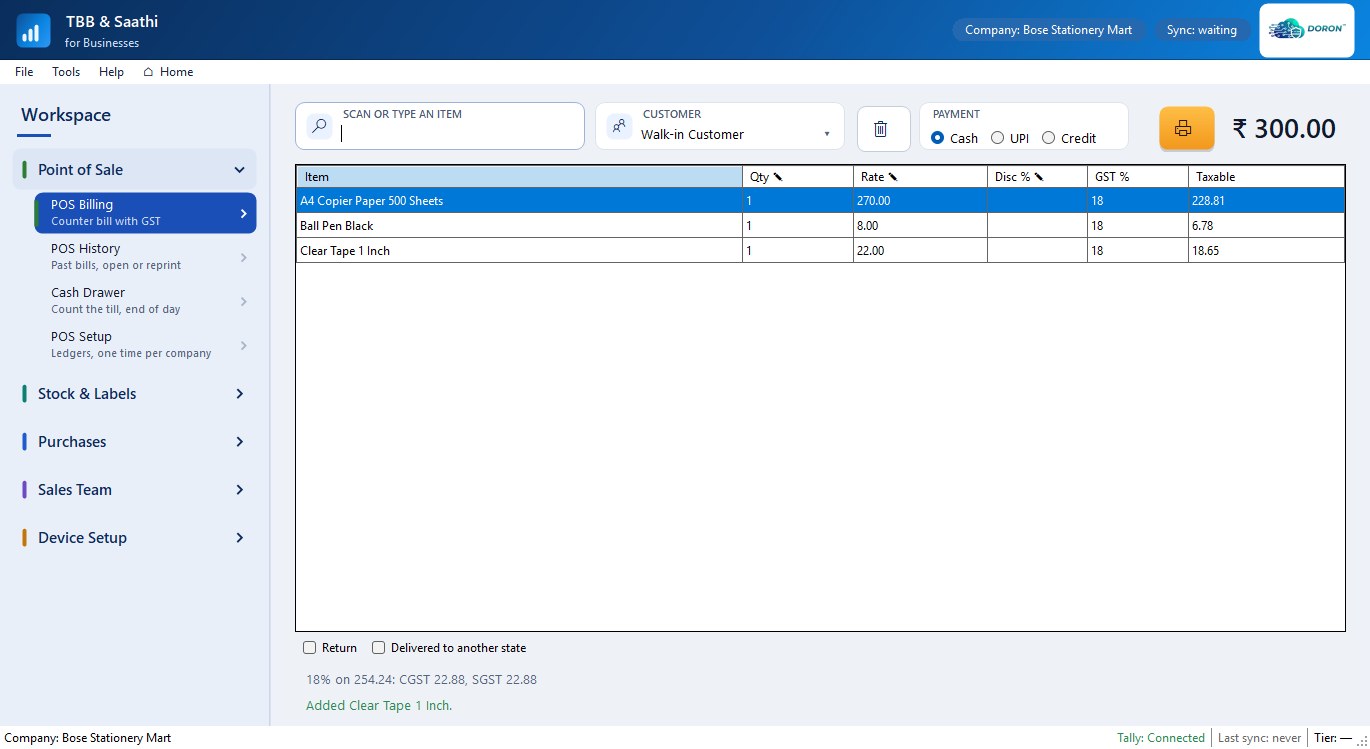
- Bill walk-ins or a customer's sales order, on the PC or a phone
- GST worked out per rate, and a printed tax invoice
- Cash, UPI or credit, with returns handled
- Every sale posts to TallyPrime as you make it
- Cash-drawer reconcile at the end of the day
Turn TallyPrime into a phone-first workspace
For the counter, the road and the corner office. Works with your existing TallyPrime company — nothing to migrate.
At the counter
- Bill on the PC or a Saathi Business phone; every sale posts into TallyPrime
- GST worked out per rate; cash, UPI or credit; a printed tax invoice
- USB or Bluetooth scanners on the PC, or the phone's camera
- Barcode labels printed from your Tally items
- Cash-drawer reconcile at the end of the day
Supplier bills
- Read a bill's photo or PDF, on the PC or the phone
- Parties and items matched to your Tally masters
- Posted with CGST, SGST or IGST and the supplier's bill number
- A bill already posted is flagged
On the road
- Beat list, customer history, repeat orders, geo-stamped visits
- Cash, UPI and cheque, with post-dated cheque tracking
- Proof photos on orders and collections
- Each rep sees their own performance
- Connected over DORON SecureLink; remove a rep and your data leaves their phone
For the owner
- Daily 9 pm brief: sales, receivables, near-expiry, low stock; one tap to WhatsApp it
- Aged receivables and payables, day book
- Where your reps actually went today
- Reps' orders reach Tally only when you approve them
- Open orders and the value still to deliver
Month-end, for your CA
- Monthly CA Pack as a PDF
- GSTR-1 register as a CSV
- Two taps to share them to your CA's WhatsApp
Cloud · AWS · RDP
- Works with TallyPrime on your desktop, in the cloud, on AWS or over RDP
- No TDL to load on your Tally
- TallyPrime stays the only system of record
- Three roles built into the pairing code: Owner, Shop Staff, Sales Rep
Industry Workflow Automation
Five ready-made workflows for pharma, hardware and electrical, and garment businesses, included in the product.
Batch-aware label printing
Labels carry the batch, manufacturing and expiry dates of the consignment, picked from your Tally batches.
GS1 scanning and FEFO at billing
One scan brings the item, batch and dates. At billing, the batch that expires first goes out first.
Near-expiry report
See which batches expire soon, by godown and value, before they become a write-off.
GRN scan-receive
Scan a supplier's delivery into a Receipt Note at your cost rate instead of keying the whole invoice.
Variant-SKU label printing
Size, colour and style read from your Tally item names and printed on every variant's label.
Presets for your counter
Presets for warehouse, food retail and general retail billing. Tell us how you work.
Getting started takes four steps
Licences come from DORON or your DORON channel partner.
Get a licence
Talk to us or your channel partner. You receive a voucher code for your plan.
Install on the Tally PC
Download DORON TBB for Windows and install it on the PC that runs TallyPrime.
Activate
Enter the voucher code at first start. DORON TBB reads your items, ledgers and batches from Tally.
Pair phones
Install Saathi Business on Android phones and scan the pairing QR on the PC's Mobile Bridge screen.